

See Your New Smile
Take a selfie, and we'll text you your new smile when it's ready. See it in three looks on your own photo, right from your phone.
Try Smile SimulationTakes several minutes. We'll text you a link.
How It Works
- 1
Enter your name and mobile number
Just your first name and a cell number, so we can text you your results.
- 2
Type in the code we text you
A 6-digit code confirms it's your phone.
- 3
Take a selfie or upload a photo
Use a smiling photo with your teeth showing. If it won't work, you'll know right away and can try again.
- 4
We text you when it's ready
It takes several minutes. When your new looks are ready, we text you a link to see each one with a before-and-after slider.
See an Example
These demo photos were run through our Smile Simulation. They are not patients, and the results are computer-made illustrations.
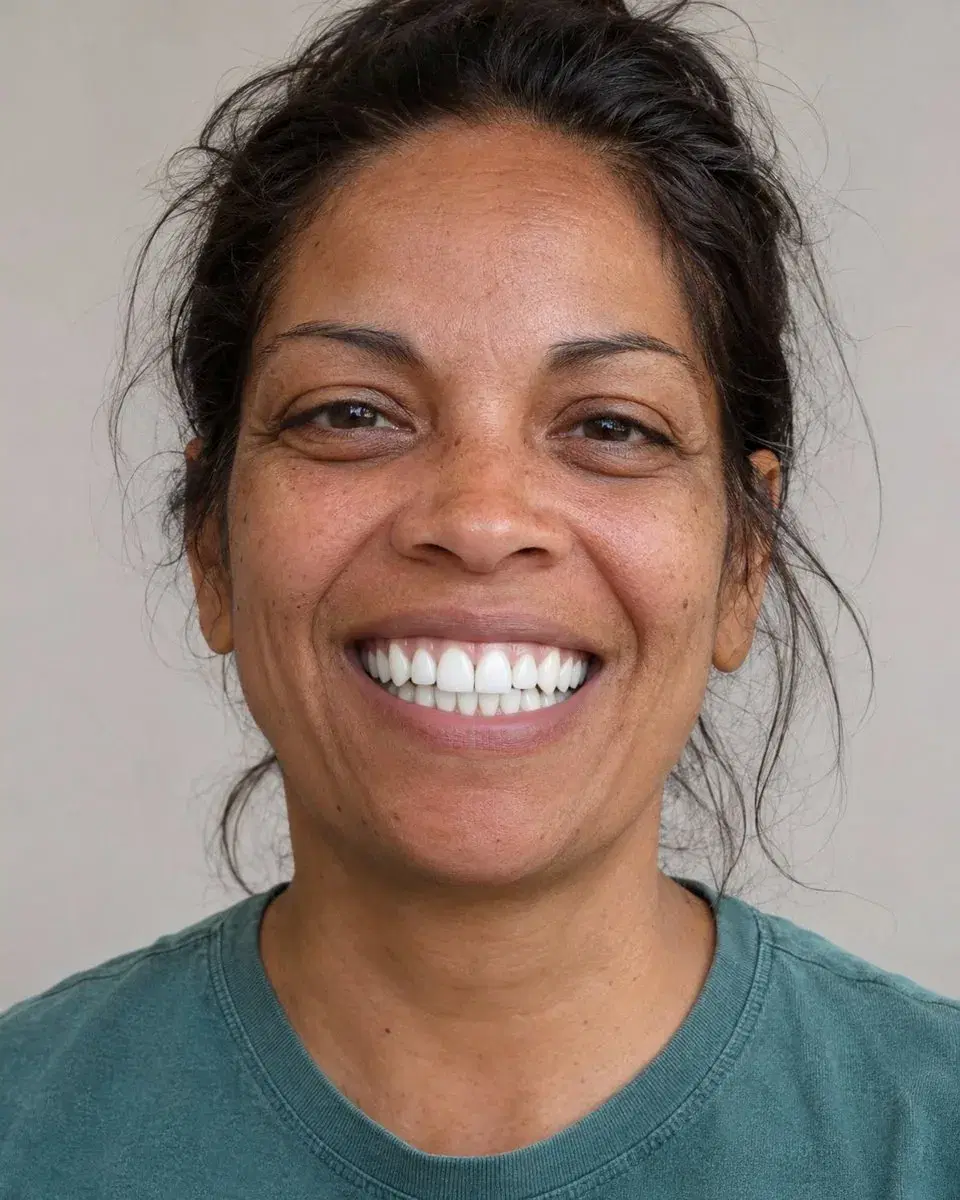
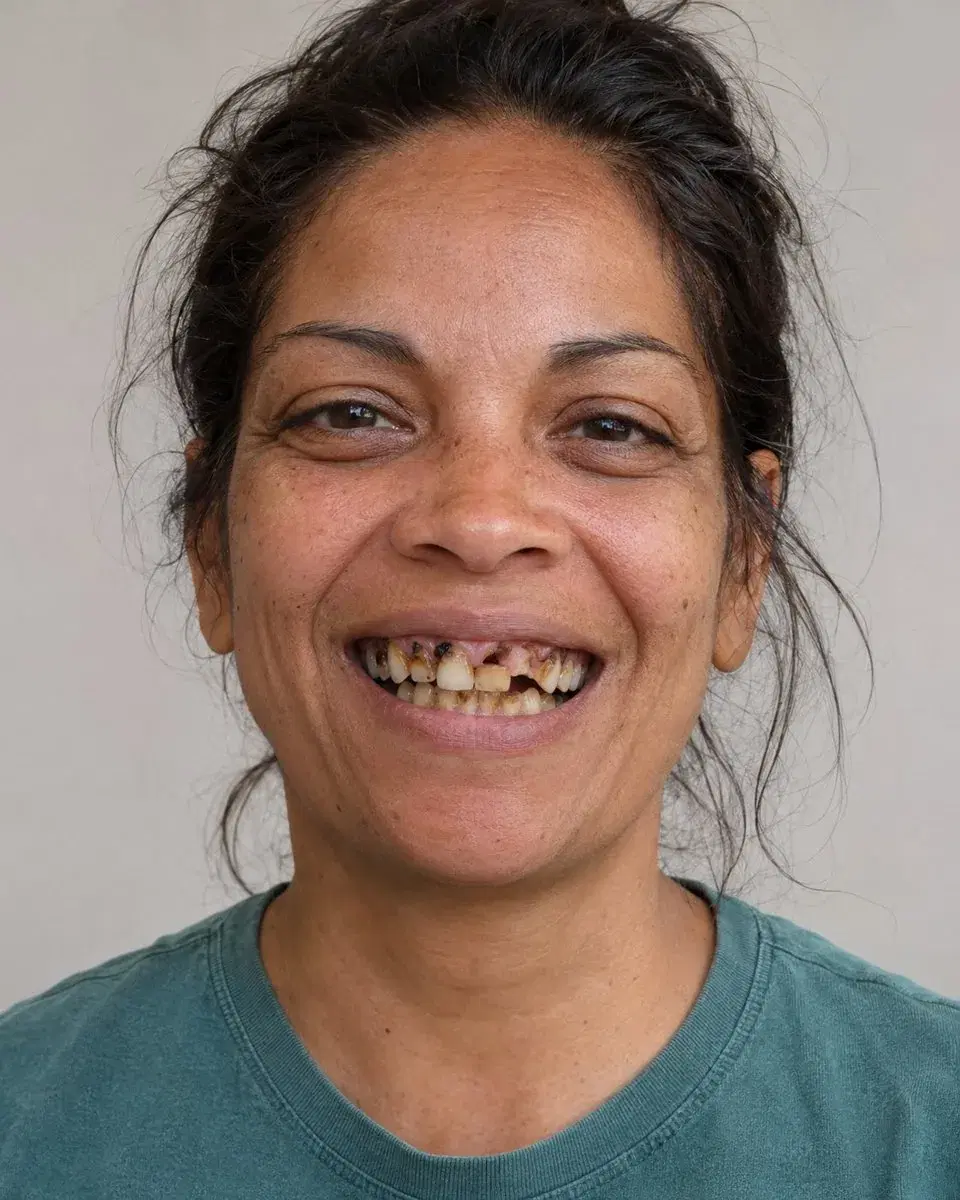
Computer simulation for illustration only, not a patient result. What's possible for you depends on an exam and a treatment plan.
Choose a look
Choose an example
Drag the slider to compare. On your own photo you'll see each look the same way, and you can zoom in, save your favorites, and mark the one you love most.
Three Looks, Your Photo
Compare each one with a before-and-after slider, zoom in, save your favorites, and mark the one you love most.
Natural
A refined, healthy smile that still looks like you.
Hollywood
A bright, camera-ready smile. Pick your shade: natural white, Hollywood white, or bleach white.
Hollywood Soft
Hollywood brightness with a softer, more natural shape.
Tips for the Best Results
- •Face the camera straight on.
- •Smile big enough that your teeth show.
- •Get close, so your face fills most of the photo.
Your Privacy & Common Questions
What happens to my photo?
Your photo is processed on our own computer, here in our office. It is not sent to an outside AI service. Only your teeth are changed; everything else is your real photo. Photos are deleted automatically after 30 days, and you can ask us to delete yours sooner at any time.
Will you text me?
Yes. We text you your sign-in code and a link to your results, and we may follow up about how to get the smile you saw. Message and data rates may apply. Reply STOP at any time to opt out.
Who can use it?
You need to be 18 or older, or a parent or guardian trying it for your child. It's available to visitors in the United States.
How many times can I try it?
Up to 3 photos per phone number. After that, you can try again in 24 hours.
Is this what my teeth will actually look like?
This is a computer-made illustration, not a promise of results. What's possible for you depends on an exam and a treatment plan from your dentist.
Like What You See?
Try it now, then book a consultation to talk through what's possible for your smile.
This is a computer-made illustration, not a promise of results. What's possible for you depends on an exam and a treatment plan from your dentist.
Questions? Call (407) 853-8877 or see our privacy policy.